
Add a domain to your web hosting
Aktualisiert 3. November 2026
Each hosting plan can host a number of websites: 1 on Simple, 3 on Advanced and 25 on Pro. Here's how to add one.
1. Add the website
- Log in to the dashboard and open your web hosting.
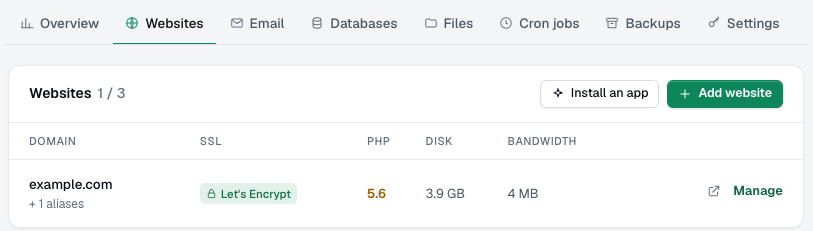
- Go to Websites and click Add website.
- Enter the domain name (without
https://;wwwis added for you), pick a PHP version and click Add website.
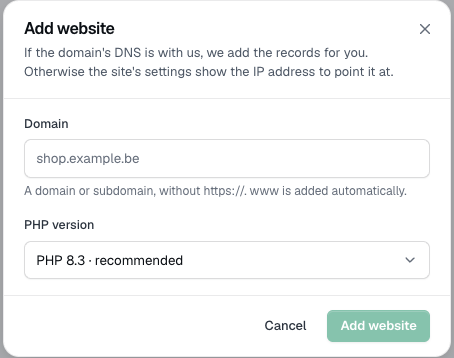
You get a folder for the site and PHP right away.
2. Point the domain to us
DNS with us: nothing to do. The records are created for you. For a domain registered elsewhere, set its nameservers at your registrar to:
ns.faastic.comns.faastic.be
DNS elsewhere: keep your current DNS provider and point the domain's A records (and those of any aliases) to the IP address shown in the website's settings. Click Manage next to the website to find it.
DNS changes can take a few hours to reach everyone.
3. Switch on SSL
Once the domain points to us, open the website's settings and click Get free SSL. The domain, www and every alias must already point to our server, or the certificate can't be issued.
Reached your plan's limit? Upgrade the plan with Change plan and add more.