
Turn on DNSSEC for your domain
Aktualisiert 3. November 2026
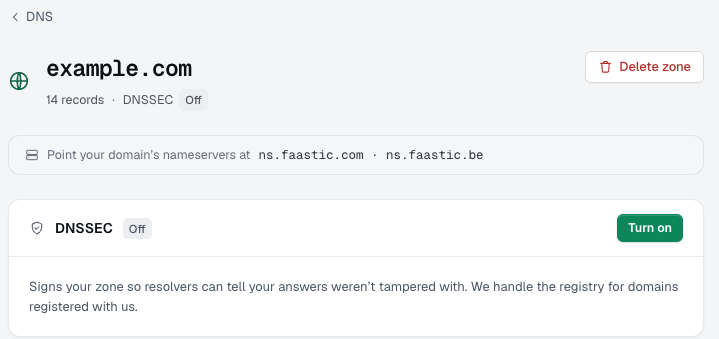
DNSSEC signs your DNS records, so visitors' resolvers can check that the answers really come from us and weren't tampered with on the way. You can switch it on yourself in the dashboard.
Turn it on
- Log in to the dashboard and open DNS.
- Open the zone of your domain.
- Click Turn on next to DNSSEC.
Creating a new zone? Tick Enable DNSSEC in the form and it's signed from the start.
Domain registered with us
There's nothing else to do. We publish the key at the registry for you, and DNSSEC is active a few minutes later.
Domain registered elsewhere
The zone shows Add DS at your registrar, with the DS record next to it. Copy that record into the DNSSEC settings at your registrar. Once the registry has it, DNSSEC is active.
Turning it off
Click Turn off on the zone. For a domain registered elsewhere, remove the DS record at your registrar first, or resolvers may refuse to answer for your domain until it expires.
Stuck? Open a ticket under Support with your domain name and we'll take a look.