
← Tous les articles
Upgrade your cloud server
Mis à jour le 3 novembre 2026
Change the plan
- Open your server in the dashboard and click Change plan.
- Pick the new plan.
- Pay the difference for the rest of your current period.
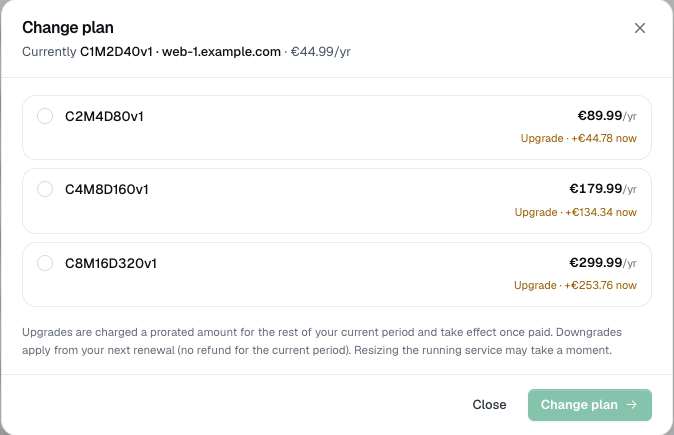
A downgrade takes effect at your next renewal.
What happens
As soon as the payment is in:
- Disk: grows right away, while the server keeps running.
- CPU and memory: take effect after a restart.
The dashboard shows Upgrade ready - restart to activate it. Click Restart now when it suits you. We don't restart your server for you.
Use the extra disk space
Most images (Ubuntu, Debian, Rocky, AlmaLinux) grow the filesystem automatically when the server starts. Check it with:
df -h /
Still the old size? Grow the partition and the filesystem by hand, for example on Ubuntu or Debian:
sudo growpart /dev/sda 1
sudo resize2fs /dev/sda1
On Rocky or AlmaLinux (XFS), use sudo xfs_growfs / for the second step.
A disk can grow but never shrink, so a downgrade keeps your current disk size.